
Last Updated on 26/09/2026 by Nicole Alba
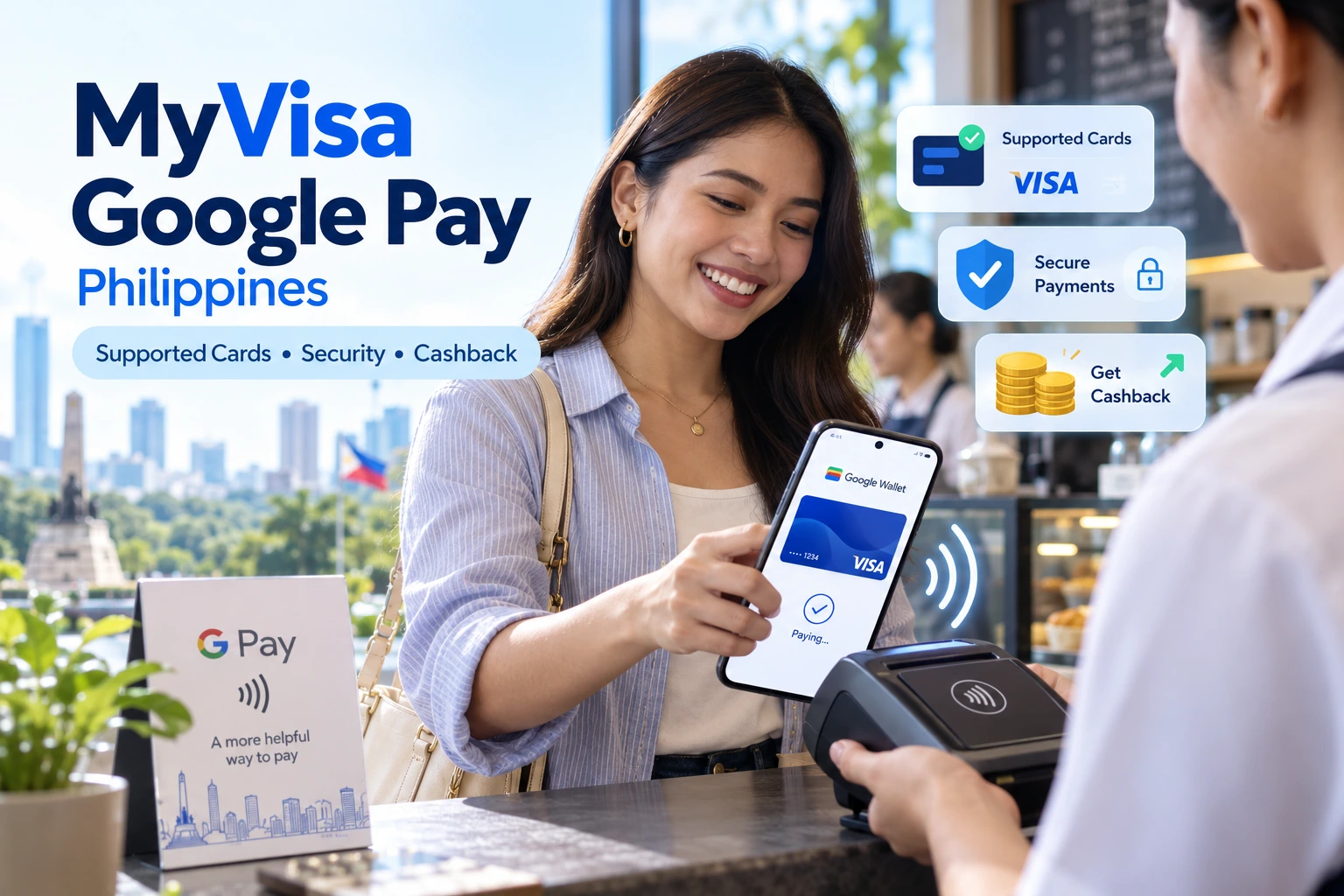
Google Pay is now a real payment option for many Visa cardholders in the Philippines, but the search phrase “myvisa Google Pay Philippines 2026” can be confusing because it mixes three different things: Visa’s card network, the my.visa.com benefits portal, and Google Pay/Google Wallet.
The most important distinction is that Google Pay is not a Philippine lender, and myVisa is not a loan app. Google Wallet stores eligible payment credentials, while Google Pay is used to make transactions with those credentials. At its Philippine launch in November 2025, Visa described Google Pay as a technology service rather than a service that holds consumers’ funds. Visa
For 2026, the more useful questions are therefore: Is your Visa card supported? Does your Android phone meet the requirements? What happens to your real card number when you tap? And are promotions shown on my.visa.com permanent benefits or temporary campaigns?
Google Pay is available in the Philippines, and Google’s current support page lists Visa cards from several Philippine issuers as compatible with Google Wallet. Eligibility is card-specific rather than simply “all Visa cards.” Google Wallet requires a compatible Android device, NFC for contactless payments, a supported card, and device security. Visa and Google use tokenization and other security controls so merchants generally do not receive the physical card number during supported transactions. The 2026 Google Pay cashback promotion shown on my.visa.com was a limited campaign, not a permanent Google Pay benefit, and its listed campaign period has already ended. Google Help
| Consumer question | Current finding | Why it matters |
|---|---|---|
| Is Google Pay available in the Philippines? | Yes. Visa announced its Philippine Google Pay launch on November 18, 2025. | Filipino users with eligible cards can make supported mobile payments. Visa |
| Is myVisa a lender? | No evidence reviewed indicates that my.visa.com is a Philippine loan provider. The relevant page is a Visa benefits/promotions portal. | Do not confuse a Visa benefit page with a credit provider or digital lending platform. Visa Consumer Benefit Platform |
| Does every Visa card work? | No. Support depends on the issuer and card type. Google maintains a Philippine-specific compatibility list. | A Visa logo alone does not guarantee that a card can be added. Google Help |
| Does Google Pay hold your money? | BSP guidance reported around the launch treated Google Pay as a technology service provider because funds do not pass through a Google-held wallet balance in this card-payment model. | The bank or card issuer remains an important party to the transaction. GMA Network |
| Is NFC required? | NFC is required for phone-based contactless payments. | A compatible card alone is not enough for tap-to-pay. Google Help |
| Is a screen lock required? | Yes, for supported in-store payments Google requires device verification/security controls. | A completely unsecured phone cannot simply function as an unrestricted payment card. Google Help |
| Is the ₱700 Visa cashback permanent? | No. The myVisa campaign located during this review ran in August 2026 and is now marked ended. | Do not choose or activate Google Pay expecting that promotion to remain available. Visa Consumer Benefit Platform |
What exactly is “myVisa Google Pay” in the Philippines?
There is no separate Philippine payment product identified in the reviewed sources as “MyVisa Google Pay.” The phrase appears to combine Visa’s my.visa.com benefits platform with Google Pay, which uses eligible cards stored in Google Wallet.
That difference is more than branding.
The page at my.visa.com reviewed for this article promoted a Visa cashback campaign for customers paying through Google Pay. It did not describe myVisa as a bank account, electronic-money wallet, credit line, or lender. Visa Consumer Benefit Platform
Google’s side of the service is also split into two names that users often use interchangeably:
- Google Wallet is where eligible payment cards and other supported digital items are stored.
- Google Pay is the payment experience used when making supported transactions with those credentials.
Google states that users can add eligible debit or credit cards to Google Wallet and use supported cards for payments. Google Help
This article therefore treats the keyword supplied for review – “myvisa google pay Philippines 2026” – as a search about using Visa cards and Visa promotions with Google Pay, rather than artificially treating it as a lending product. Pasted text
Is Google Pay officially available in the Philippines?
Yes. Visa announced the Philippine launch of Google Wallet and Google Pay on November 18, 2025, initially naming Chinabank, EastWest, GoTyme, Maya, RCBC, UnionBank, and Wise as participating Visa issuers. Visa
This launch timing matters because older Philippines-focused articles may still say that Google Pay is unavailable or that Philippine-issued cards cannot be used for local tap-to-pay.
Those articles may have been accurate when published, but they are outdated for 2026.
Google itself now lists the Philippines among markets where Google Pay functionality is available and maintains a dedicated Philippine payment-method support list. Google Help
Is Google Pay regulated like an e-wallet?
The distinction reported around the Philippine rollout is important.
According to statements attributed to the Bangko Sentral ng Pilipinas and reported by GMA News, Google Pay and Apple Pay did not need to register as Operators of Payment Systems merely for the described mobile-payment model because they were acting as technology service providers rather than holding the customer’s funds. GMA Network
Visa’s launch announcement reflects the same distinction, saying Google Pay links to payment cards instead of holding consumer funds itself. Visa
That should not be interpreted as meaning the underlying financial system is unregulated. The issuing bank, card account and card-network transaction remain separate pieces of the payment chain.
It is also inaccurate to describe Google Pay as a bank simply because a Visa card appears inside the application.
Which Visa cards support Google Pay in the Philippines in 2026?
Support is issuer- and card-specific. Google’s current Philippines list includes Visa products from several institutions, but having “Visa” printed on a card does not automatically mean that particular card can be added to Google Wallet. Google Help
As of the current Google Wallet support listing reviewed for this article, Visa support includes:
| Institution | Visa support currently listed by Google |
|---|---|
| Bank of the Philippine Islands | Visa credit cards |
| China Banking Corporation | Visa credit and debit cards |
| EastWest Banking Corporation | Visa credit and debit cards |
| GoTyme Bank Corporation | Visa credit and debit cards |
| Maya Bank, Inc. | Visa credit cards |
| Maya Philippines, Inc. | Visa prepaid cards |
| RCBC | Visa credit cards |
| UnionBank of the Philippines | Visa cards |
| Wise Pilipinas | Visa prepaid cards |
Google’s Philippine page also lists several Mastercard or other supported payment products from institutions including GCash, PNB, MariBank, PalawanPay and Zed. Those entries demonstrate that Google Wallet support in the Philippines is no longer exclusively a Visa feature, although they are outside the narrower Visa focus of this review. Google Help
The supported list can change as banks add cards, remove products or impose eligibility restrictions. Google specifically notes that banks decide whether their cards work with Google Wallet and can restrict individual cards from mobile payments. Google Help
For that reason, Google’s current support table is more reliable than assuming compatibility from a months-old launch announcement.
How do you add a Visa card to Google Wallet?
For an eligible card, the normal process is to open Google Wallet, choose “Add to Wallet,” select a payment card, enter or scan the card details, accept the issuer terms and complete any verification requested by the bank. Google Help
Google’s documented process is:
- Open Google Wallet.
- Tap Add to Wallet.
- Select Payment card and then a new credit or debit card.
- Scan the card or enter the information manually.
- Review and accept the issuer terms.
- Complete issuer verification if requested. Google Help
Verification deserves attention because it is not necessarily controlled solely by Google.
Google states that, where a verification code is required, the issuer sends the code, and the available verification method depends on the bank and region. Google Help
That means an unsuccessful setup does not automatically prove that Google Wallet is malfunctioning. Possible checkpoints include whether the exact card is supported, whether the issuer has the correct contact information, and whether the bank approves that card for tokenization.
What phone do you need for Google Pay?
For tap-to-pay, you need a supported Android device with NFC enabled, Google Wallet configured for contactless payments, an eligible payment method, a screen lock and a device that meets Google’s security requirements. Google Help
One of the easiest mistakes is assuming that installing Google Wallet is enough.
It is not.
Google’s troubleshooting documentation tells users to check:
- NFC support;
- whether NFC is switched on;
- whether Google Wallet is the default NFC payment application;
- whether a card has been added;
- whether screen lock is configured;
- whether the phone meets security requirements; and
- whether the device is unlocked as required. Google Help
In stores, Google says the phone can generally be unlocked and held near the compatible reader without first opening the Wallet application. Google Help
Look for the contactless symbol or Google Pay mark at checkout.
Is Google Pay with Visa secure?
Google Pay and Visa employ tokenization and device-security controls designed to reduce exposure of the physical card number, but this does not make every transaction fraud-proof. Users still need to protect their Google account, phone unlock credentials and issuer verification channels.
Visa’s Philippine launch announcement says its transactions use Visa tokenization technology. Rather than repeatedly exposing the underlying account credential through the normal merchant-payment process, a digital credential or token is used for supported transactions. Visa
Google likewise says payment information is encrypted, requires device-security controls for in-store payments, and is protected by built-in security features. Google Help
Does the merchant receive your real card number?
Visa says its Google Pay implementation uses tokenization, while Google’s security documentation explains that virtual or tokenized credentials can replace underlying card details during compatible transactions. Visa
This reduces the value of payment information intercepted from a merchant compared with repeatedly providing the raw physical card credential.
It should not be interpreted as a guarantee against all fraud.
Phishing, compromised Google accounts, social engineering, issuer-account takeover and fraudulent merchants remain separate risks.
What happens if your phone is stolen?
Google states that in-store payment requires device verification and that payment information is encrypted. It also advises users with a lost device to use Google’s device-management tools to find, secure or erase the phone. Google Help
Erasing a device removes payment information stored for use on that device, according to Google’s support documentation. Google Help
A practical response to a missing phone is therefore not merely to wait and see. Secure the Google account and device, and contact the card issuer promptly if there is any sign of unauthorized activity.
What payment data does Google use?
Google states that payment and transaction information may be processed to facilitate transactions, display transaction history, resolve payment problems, provide related features and help mitigate fraud.
Google’s privacy documentation says credit and debit card numbers supplied to Google are encrypted and stored on secure servers. Google Privacy & Terms
Its Google Pay security page also states that transaction data may be used to:
- facilitate payments;
- display transaction details and history;
- resolve Google Pay problems; and
- provide other Google Pay functionality. Google Help
This is a useful reminder that tokenization at the merchant does not mean no payment-related data exists anywhere.
Security and privacy are related but different questions. A service can protect the underlying card credential during a transaction while still processing account and transaction information needed to provide the service.
Users who are particularly concerned about data use should review Google’s current payments/privacy notices rather than relying solely on promotional descriptions of tokenization.
What was the myVisa Google Pay ₱700 cashback promotion?
Visa’s my.visa.com portal advertised a 2026 Google Pay campaign offering ₱700 cashback to qualifying cardholders who met the campaign requirements. The page now states that the campaign has ended. Visa Consumer Benefit Platform
This promotion is probably one reason people encounter combinations of the terms myVisa, Google Pay, and Philippines 2026 in search results.
The campaign page stated that eligible participants had to make three separate qualifying Google Pay transactions of at least ₱1,000 each using an eligible Visa card from selected participating issuers. Visa Consumer Benefit Platform
The listed participants included:
- EastWest Banking Corporation;
- Maya Bank, Inc.;
- Maya Philippines, Inc.;
- PalawanPay; and
- RCBC. Visa Consumer Benefit Platform
Visa’s page lists availability from July 31 to August 30, 2026, while the transaction instructions refer to qualifying activity during August 2026. Most importantly for anyone reading this after the campaign, the same page now says enrollment has ended. Visa Consumer Benefit Platform
Do not confuse promotional eligibility with Google Pay eligibility
A card may support Google Pay but still be excluded from a specific promotion.
For example, Google’s compatibility list can contain more issuers than a Visa marketing campaign’s list of participating banks. Google Help
That difference matters.
There are really two separate questions:
Can this card be added to Google Wallet?
and
Does this card qualify for this particular Visa promotion?
The answer to the first does not automatically answer the second.
Are there fees for using a Visa card through Google Pay?
The reviewed Google and Visa sources do not establish a universal Philippine “Google Pay fee” charged to cardholders simply for making an ordinary transaction. However, your underlying card’s own terms still apply.
Google Pay changes the payment interface, not the underlying nature of your bank account or card agreement.
A credit card remains a credit card. If the issuer applies interest, foreign-currency conversion charges, late-payment charges, cash-advance pricing or other card fees, putting that card into Google Wallet does not erase those contractual terms.
Similarly, a debit or prepaid Visa still depends on the applicable account or stored-value balance.
This is why it would be misleading to describe Google Pay as a way to avoid ordinary card charges unless a specific issuer explicitly provides such a benefit.
The reviewed sources also do not support inventing a single “Google Pay exchange rate” for Filipino consumers. Foreign-currency treatment should be checked against the issuing bank and card terms applicable to the particular transaction.
Why might a supported Visa card still fail to add?
A bank appearing on Google’s support list does not guarantee that every card from that bank will enroll successfully. Google explicitly says issuers determine which of their cards participate. Google Help
Before assuming something is wrong with your account, check the exact card category.
Google may list, for example, one issuer’s Visa credit cards while not listing its Visa debit products. Another issuer may support both.
If the card should be eligible, Google’s troubleshooting guidance suggests checking device NFC, Wallet configuration, security requirements and card verification. Google Help
The issuer is also the appropriate party to contact when the issue concerns card eligibility or bank authentication.
What are the main advantages and limitations?
Google Pay’s strongest practical benefit for an eligible Philippine Visa user is that a physical card does not need to be handed to the merchant for a supported tap transaction. Visa’s tokenization system also limits exposure of the underlying payment credential in the normal transaction flow. Visa
Compatibility is the main limitation.
Not every bank is supported, not every card from a supported bank is necessarily supported, and contactless use requires compatible Android hardware and configuration. Google Help
Temporary promotional offers are another area where expectations can go wrong. The ₱700 myVisa cashback was attractive during its campaign period, but it should not be presented as a standard, continuing advantage of Google Pay. Visa Consumer Benefit Platform
The most useful way to think about the service is therefore not “Does Google Pay give me free money?” but “Does it make my existing eligible card more convenient to use without exposing the physical card credential at the merchant?”
Who may find Google Pay useful in the Philippines?
Google Pay may be relevant to a Visa cardholder who already uses Android, has an NFC-capable phone, has an eligible issuer/card combination, and frequently pays at contactless terminals.
It can also be useful for someone who prefers carrying fewer physical cards.
There is less value if your bank or card is unsupported, your device lacks NFC, you mainly shop at cash-only merchants, or your only reason for signing up was a temporary cashback campaign that has already ended.
A promotion should be treated as an optional extra, not as the foundation for choosing a payment method.
What should you check before adding your Visa card?
Before using Google Pay in the Philippines, verify these points:
- Check Google’s current Philippine support page, not an old launch article.
- Confirm that your specific Visa card type is supported, not merely the issuing bank.
- Make sure your Android phone has NFC and meets Google’s security requirements.
- Set a secure screen lock.
- Keep the mobile number and email registered with your bank current so issuer verification can reach you.
- Review your card’s ordinary fees and foreign-currency rules; Google Pay does not replace those terms.
- Treat cashback promotions as campaign-specific and check their current dates and eligible issuers.
- Never disclose OTPs, passwords, card PINs or account credentials to someone claiming they need them to “activate Google Pay.”
Google specifically warns that it does not ask customers to provide passwords, card numbers or similar sensitive details through unsolicited email, text or phone requests. Google Help
Frequently Asked Questions
Can I use Google Pay in the Philippines in 2026?
Yes. Google Pay launched for supported card payments in the Philippines in November 2025, and Google’s current documentation maintains a Philippine list of supported issuers and card types. Visa
Can any Philippine Visa card be added?
No. Eligibility depends on the bank and specific card type. Check Google’s current Philippine compatibility list before attempting enrollment. Google Help
Is myVisa the same as Google Wallet?
No. In the sources reviewed here, my.visa.com is Visa’s benefits/promotions platform, whereas Google Wallet is Google’s wallet application used to store supported payment credentials. Visa Consumer Benefit Platform
Is Google Pay a loan app?
No. The Philippine implementation described by Visa and in reporting of BSP guidance is a payment technology service linked to existing cards, not a digital-loan product. Visa
Is the ₱700 Google Pay cashback still available?
The specific campaign located on the Visa benefits site is marked as ended. It should not be treated as a permanent Google Pay benefit. Visa Consumer Benefit Platform
Can I tap to pay without opening Google Wallet?
Google says that once tap-to-pay has been properly configured, users can generally unlock the phone and hold it near the reader without opening Google Wallet first, subject to verification requirements. Google Help
Final checks before relying on MyVisa or Google Pay
Google Pay has moved from an anticipated service to an operating payment option in the Philippines, but compatibility is still selective.
The safest decision process is simple: first verify the exact card on Google’s current compatibility list. Then check your issuer’s own terms. Treat a myVisa cashback or merchant offer as a separate promotion with its own eligibility rules and expiration date.
From a security perspective, tokenization and device verification are meaningful protections, but they should complement – not replace – basic account security. Keep screen protection enabled, protect OTPs and passwords, and act quickly when a phone or card is lost.
And if a website describes “MyVisa Google Pay” as though it were a Philippine lending company offering instant loans, that description does not match the official Google and Visa materials reviewed for this article.
References
- Google Wallet Help – Supported Payment Methods in the Philippines
Organization: Google
Resource: Find supported payment methods – Philippines
Google Wallet Philippines supported payment methods - Visa Philippines – Google Pay Launch
Organization: Visa
Resource: Visa introduces Google Pay capabilities in the Philippines
Visa Philippines Google Pay launch announcement - Visa – Google Pay Philippines
Organization: Visa
Resource: Google Pay – Add your Visa card to Google Wallet
Visa Google Pay Philippines page - Visa Benefits – 2026 Google Pay Cashback Campaign
Organization: Visa
Resource: Receive cashback when you spend using Google Pay
Visa Google Pay cashback campaign - Google Wallet Help – Adding Payment Cards
Organization: Google
Resource: Add a debit or credit card
Google Wallet card setup instructions - Google Wallet Help – Payment Security
Organization: Google
Resource: Keep your payment info safe
Google Wallet payment security guidance - Google Wallet Help – Tap to Pay
Organization: Google
Resource: Tap to pay with your phone
Google Wallet tap-to-pay instructions - Google Privacy & Terms – Payment Card Information
Organization: Google
Resource: How Google uses credit card numbers for payments
Google payment-card privacy information - GMA News – BSP Classification of Mobile Payment Providers
Organization: GMA Integrated News
Resource: Apple Pay, Google Pay can launch in PH without BSP registration
GMA News report on BSP treatment of Google Pay


![Cashspace Loan PH Review: Loan Details, Legitimacy, and Application Process [New Update]](https://cashloanph.com/wp-content/uploads/2023/10/cashspace-loan-philippines-review-cashloanph-438x246.jpg "Cashspace Loan PH Review: Loan Details, Legitimacy, and Application Process [New Update]")