Last Updated on 25/07/2026 by Nicole Alba
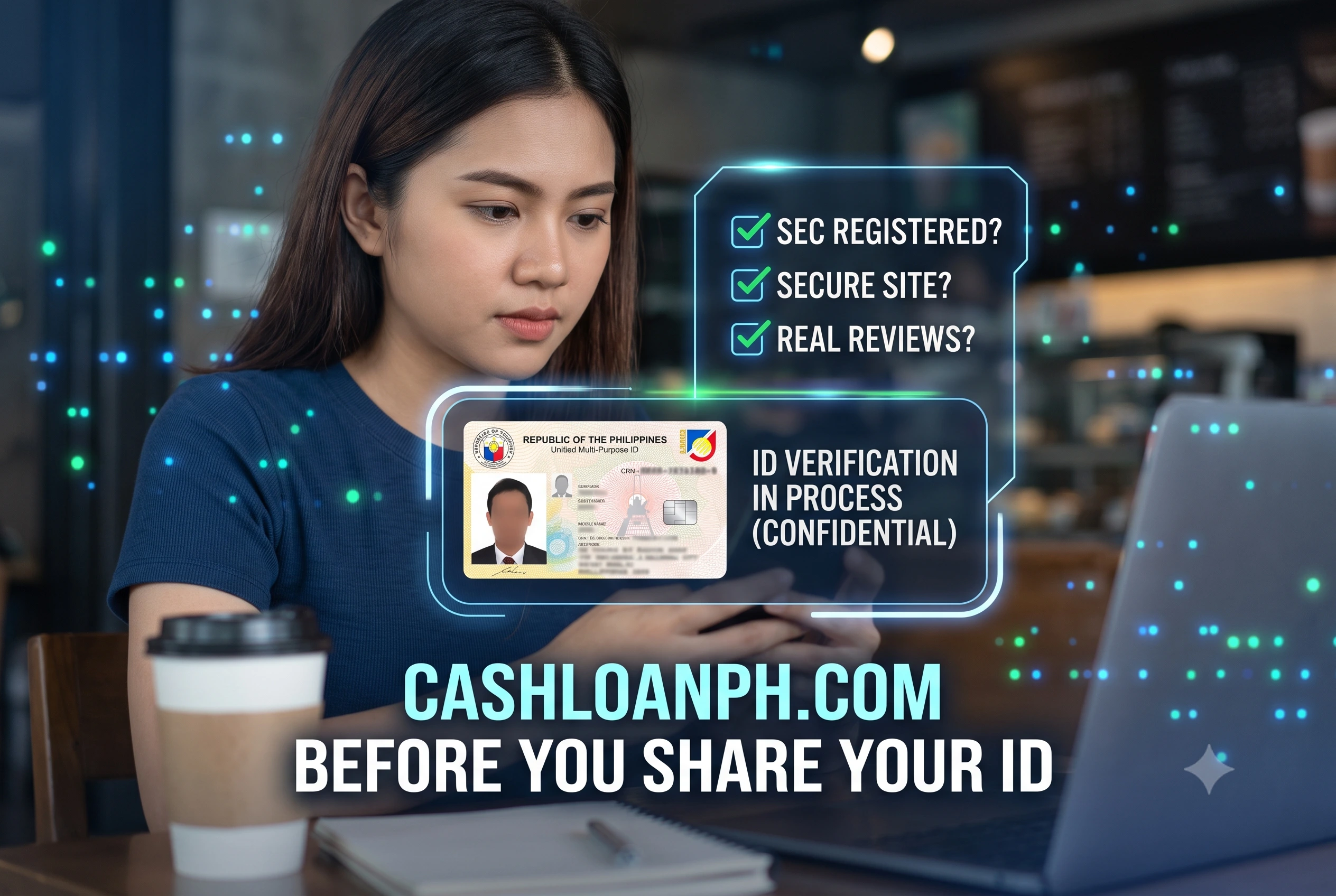
I’ve sat across from borrowers trembling because an app they downloaded the night before just threatened to message their entire phonebook, branding them a thief. The panic is real, and the sense of violation is heavy. If you are reading this while fielding aggressive texts from an unverified lender, take a breath. Know this first: under Article III, Section 20 of the 1987 Philippine Constitution, no person shall be imprisoned for non-payment of debt. The threats of immediate jail time sent via SMS or WhatsApp are intimidation tactics, not legal realities. When you are in a financial pinch, finding a legit fast cash loan online isn’t merely about securing the funds you need; it is about keeping your identity, your contacts, and your peace of mind safe from digital extortionists.
Summary:
To verify if a digital lender is safe, you must check their Certificate of Authority (CA) on the Philippine Securities and Exchange Commission (SEC) website, deny access to your phone’s contact list, and refuse any demands for upfront processing fees. Legitimate platforms comply with the Truth in Lending Act (TILA) by clearly displaying all deductions and the Effective Interest Rate (EIR) before you sign. Recognizing these technical security checks and operational red flags ensures you only interact with regulated entities that protect your data and abide by legal collection practices.
Key Takeaways: Safe Lenders vs. Predatory Apps
| Verification Point | Legitimate Digital Lenders | Predatory Loan Scams |
| Legal Registration | Holds a valid SEC Certificate of Authority (CA). | Unregistered, or uses a fake/stolen CA number. |
| Upfront Fees | Deducts standard processing fees from the final loan amount. | Demands a “deposit” via GCash/PayMaya before approval. |
| Data Privacy | Asks for camera/location access for KYC only. | Forces access to your contact list and photo gallery. |
| Transparency | Shows a clear TILA disclosure before you accept the terms. | Hides the true interest rate and repayment date. |
| Collections | Uses official channels; follows BSP fair collection guidelines. | Uses public shaming, death threats, and harassment. |
Why Do So Many Fake Loan Apps Look Real?
Predatory loan apps look real because scammers copy the exact user interface, color schemes, and marketing language of established banks, often buying fake reviews to manipulate app store rankings.
When our team tested a batch of reported scam apps last quarter, we noticed a disturbing trend. These platforms do not look like sketchy, dark-web sites. They feature polished graphics, smooth login screens, and reassuring logos. Many even slap fake “BSP Regulated” or “SEC Registered” badges right on their loading screens. The deception relies on high-pressure urgency. They target borrowers who need cash today, banking on the fact that a stressed applicant will click “I Agree” on the Terms and Conditions without reading the fine print. By mirroring the frictionless onboarding of genuine fintech companies, these syndicates trick you into handing over sensitive government IDs—like your PhilID or UMID—and granting them backend access to your smartphone’s data.
What Are the Immediate Red Flags of a Predatory Loan Scam?
The most glaring red flags of a loan scam include demands for advance payments, requests to access your contact list, and the absence of a verifiable physical office address.
Identifying a trap requires looking past the polished app design and paying attention to the operational friction points. Fraudsters rely on specific mechanisms to either steal your money directly or harvest your data for future extortion.
Is It Normal for an Online Loan to Ask for a Deposit?
No, a legitimate online loan will never ask you to transfer a deposit, insurance fee, or processing fee out of pocket before releasing your funds.
This is known as an advance-fee scam. When evaluating disbursement flows, registered lenders in the Philippines deduct processing fees directly from the approved principal amount. For example, if you are approved for ₱5,000 with a 5% processing fee, the lender sends ₱4,750 to your account. You owe the full ₱5,000 on your due date.
Scammers flip this logic. They will send an unsolicited text or WhatsApp message guaranteeing you a massive approval limit—say, ₱50,000—but claim you must send ₱1,500 to a personal GCash or Maya number to “unlock” the funds or “verify” your account. Once you send that money, they block your number. A valid corporate lender will always use automated disbursement gateways (like InstaPay or PESONet), never a personal e-wallet account named to a random individual.
How Do I Know if a Loan App Is Harvesting My Contacts?
You can tell an app is harvesting your contacts if the installation process strictly requires you to grant “Read Contacts” or “Access Phonebook” permissions before you can proceed.
The National Privacy Commission (NPC) strictly prohibits online lending applications from scraping your phonebook. During our hands-on testing of flagged apps, we found that predatory lenders bury these permissions in the initial setup. When you install a scam app, a system prompt will pop up asking for access to your camera (normal for scanning IDs) and location (normal for fraud prevention). But then, a prompt for “Contacts” or “Media/Gallery” will appear. If you click deny, the app force-closes or refuses to let you submit the application.
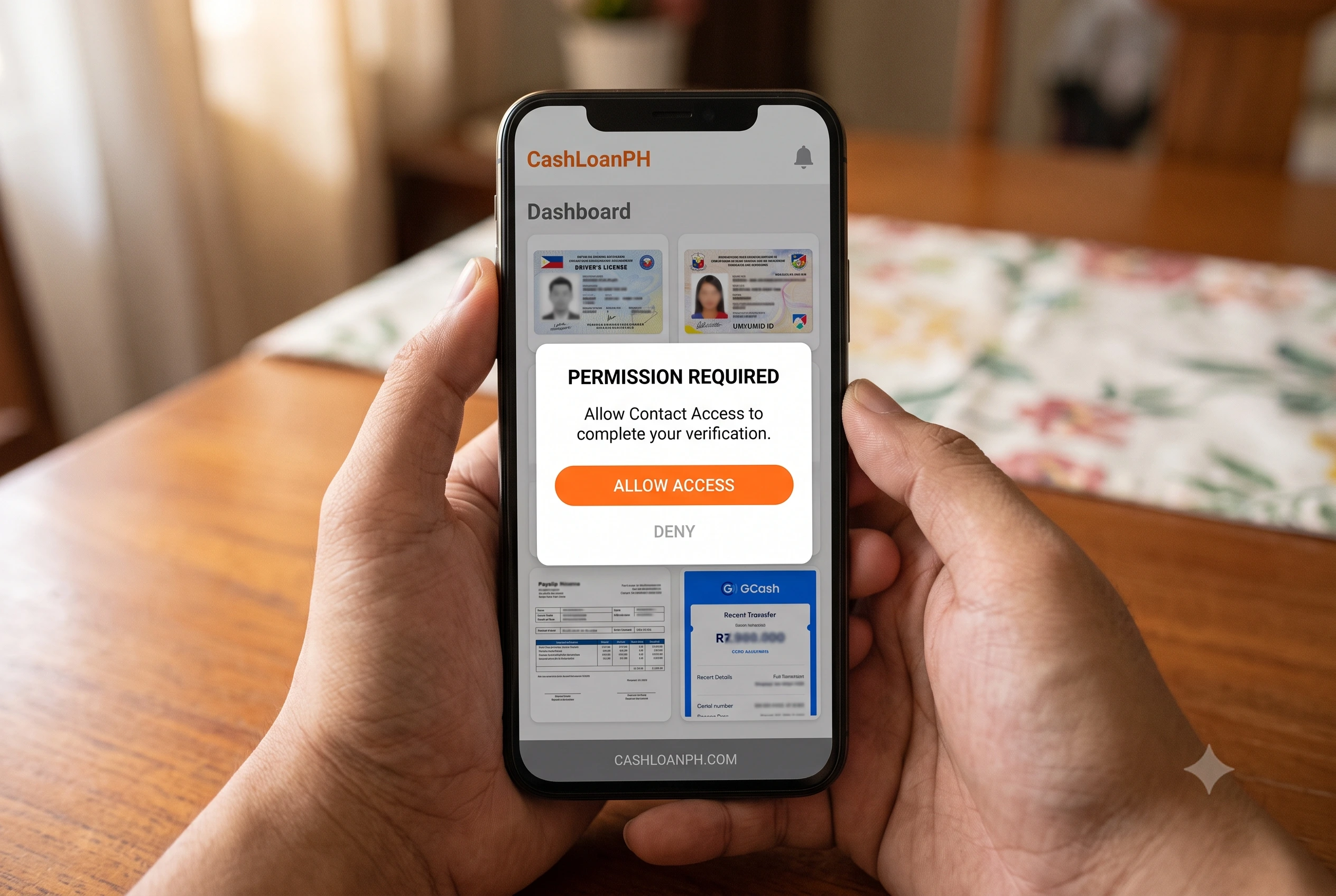
They harvest these numbers to build a blackmail network. If you miss a payment by even one day, their automated systems blast text messages to your family, boss, and friends, falsely claiming you named them as co-makers or that you are a thief on the run. Always check your phone’s app settings and manually revoke contact permissions for any financial app.
How Do You Verify the Legal Compliance of a Lender in the Philippines?
You verify a lender by cross-referencing their corporate name against the SEC’s List of Recorded Online Lending Platforms (ROLP) and ensuring they provide a formal Truth in Lending Act (TILA) disclosure.
Do not trust an app store description. Faking a registration number takes ten seconds of typing. Verifying compliance means leaving the app and checking official government databases.
How Can You Check the SEC Certificate of Authority?
To verify legal status, go to the SEC Philippines website, download the latest List of Lending Companies, and search for the specific Certificate of Authority (CA) number provided by the app.
Registering a company is not the same as being legally permitted to lend money. A scammer might register “FastCash Corp” with the SEC and get a standard Company Registration Number. However, to legally issue loans, they must secure a secondary license called a Certificate of Authority (CA).
Here is the exact workflow our analysts use to vet a platform:
- Open the loan app and scroll to the bottom of the home screen or “About Us” page to find the CA number.
- Go to the SEC official website and navigate to the “Lending and Financing Companies” section.
- Open the PDF titled “List of Recorded Online Lending Platforms.”
- Hit CTRL+F and type in the CA number or the exact app name.
- Verify that the operating name matches the corporate name exactly. Scammers often clone the names of legitimate, registered companies. If the developer name on the Google Play Store does not match the SEC registry, back away immediately.
What Does TILA Compliance Actually Look Like in an App?
TILA compliance looks like a clear, unskippable digital document presented before you agree to the loan, detailing the exact loan amount, total deductions, net proceeds, and the Effective Interest Rate (EIR).
Republic Act No. 3765 (Truth in Lending Act) mandates total transparency. In our experience testing compliant platforms, the app flow intentionally introduces friction right before disbursement. You are forced to scroll through a disclosure statement that breaks down the math.
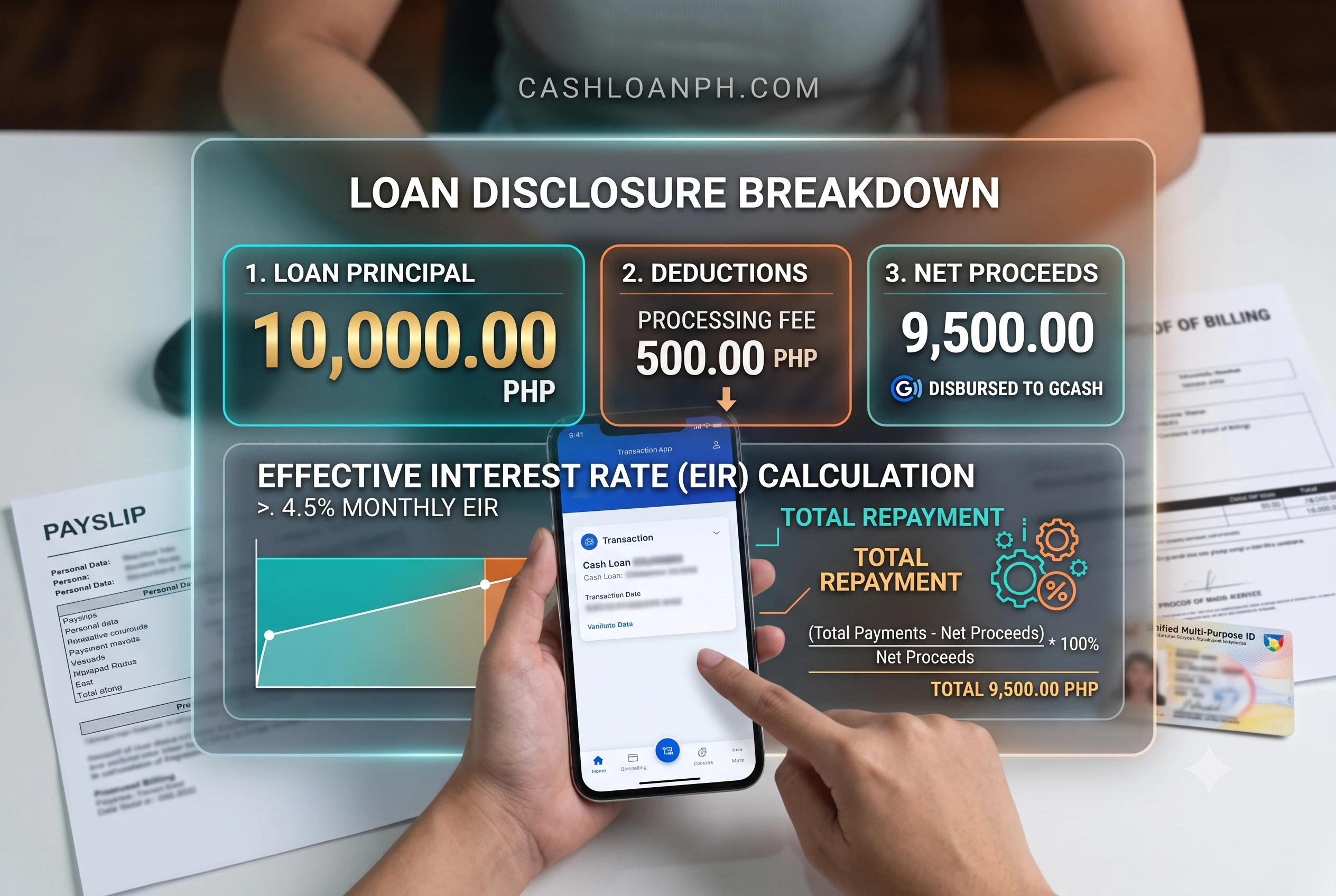
Predatory apps skip this entirely. They show you a vague slider for “Borrow up to ₱10,000,” ask for your ID, and then suddenly drop ₱3,000 into your account, claiming you owe them ₱6,000 in exactly five days. If an app processes your application and disburses funds without making you sign or accept a specific, itemized breakdown of the charges, they are violating TILA and operating illegally. Furthermore, legitimate eKYC (Electronic Know Your Customer) processes involve manual reviews. For example, if you upload a UMID card with a faded border, a compliant system will flag it and require a manual human review taking up to 24 hours. Scammers automate the entire process because they care about your data, not your identity verification.
What Happens If You Already Gave Your ID to a Fake Lender?
If you submitted your ID to a fake lender, you must immediately report the breach to the NPC, notify your contacts to ignore scam messages, and monitor your other financial accounts for unauthorized access.
Panic is a natural response, but action mitigates the damage. If a syndicate has your government ID and a selfie, they have the ingredients for identity theft. They might try to open e-wallet accounts in your name or use your face to verify other fraudulent transactions.
How Do You Report Fraudulent Apps to the Authorities?
You report fake apps by taking screenshots of their threats and filing formal complaints with the SEC’s Enforcement and Investor Protection Department (EIPD) and the PNP Anti-Cybercrime Group.
Documentation is your best defense. Do not delete the text messages or the app right away. Take screenshots of the harassment, the phone numbers they use, and their app interface.
- NPC: File a complaint for data privacy violations if they text your contacts. The NPC has successfully ordered the takedown of hundreds of apps for unauthorized processing of personal information.
- SEC EIPD: Email them the app details so they can issue Cease and Desist Orders (CDO).
- PNP-ACG: If you are receiving active death threats, file an online blotter with the Anti-Cybercrime Group.
How Can You Protect Your Identity After a Leak?
Protect your identity by replacing compromised IDs if possible, changing all your banking passwords, and preemptively posting on your social media to warn friends about the data breach.
Own the narrative. Many victims suffer in silence because of the shame associated with debt. The moment you realize it is a scam, post on your Facebook or send a mass text saying: “My phone data was compromised by a malicious app. If you receive any messages claiming I owe money or asking for funds on my behalf, please block and report the number. It is a scam.” This strips the scammers of their main weapon: your fear of embarrassment. Next, change the PINs and passwords on your GCash, Maya, and banking apps, ensuring you have two-factor authentication (2FA) enabled across the board.
How Do You Safely Find Secure Fast Cash Loan Online Options?
You find safe options by sticking to platforms verified by the BSP or SEC, reading independent reviews outside the app store, and comparing interest rates against the regulatory caps.
Navigating financial emergencies requires a calm, analytical approach. Rather than downloading the first app that pops up on a YouTube ad, take ten minutes to do the necessary background checks. Look for established digital banks or licensed financing companies that transparently advertise their rates. By comparing secure fast cash loan online options through verified aggregators or official regulatory lists, you protect your digital footprint.
Borrowing money should solve a temporary cash flow problem, not create a permanent data privacy nightmare. Keep your government IDs safe, question every platform that asks for upfront fees, and remember that a legitimate financial institution will treat you as a client, not a hostage.
References
- Securities and Exchange Commission PhilippinesOrganization: SEC PhilippinesResource: List of Recorded Online Lending PlatformsURL: https://www.sec.gov.ph/lending-companies-and-financing-companies-2/list-of-recorded-online-lending-platforms/
- National Privacy CommissionOrganization: NPCResource: Guidelines on the Processing of Personal Data for Loan-Related TransactionsURL: https://www.privacy.gov.ph/issuances/npc-circulars/
- Bangko Sentral ng PilipinasOrganization: BSPResource: Financial Consumer Protection FrameworkURL: https://www.bsp.gov.ph/SitePages/InclusiveFinance/ConsumerProtection.aspx